
If you’ve ever hired someone to build a website — or thought about learning to build one yourself — you’ve probably run into these two terms being used almost interchangeably: web design and web development. A client asks a “web designer” to add a payment gateway. A “web developer” gets asked to pick a color palette. Job postings blur the lines further, listing “web design and development” as a single skill in one line item.
But these are two distinct disciplines, built on different skill sets, different tools, and — frankly — different ways of thinking. Understanding the difference matters whether you’re hiring for a project, planning a career, or just trying to have an intelligent conversation with the agency building your site. This article breaks down exactly where design ends and development begins, where they overlap, and how to figure out which one (or both) you actually need.
The One-Sentence Version
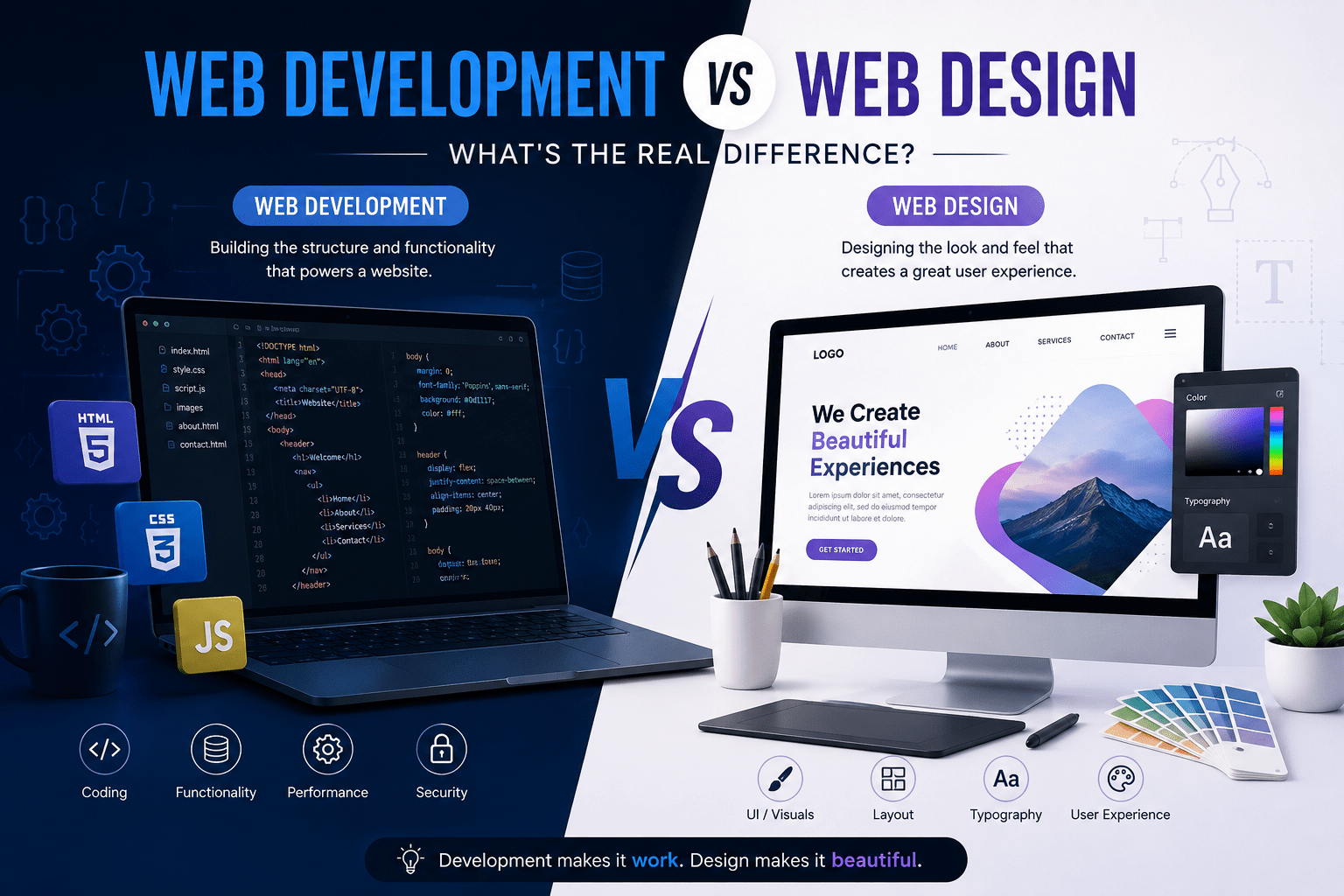
Web design is about how a website looks and feels — the visual layout, colors, typography, and user experience. Web development is about how a website works — the code, functionality, and technical infrastructure that make the design actually function in a browser.
Think of it like building a house. The designer draws the blueprint, decides the room layout, picks the paint colors, and figures out where the light should fall in the living room. The developer pours the foundation, wires the electricity, plumbs the bathrooms, and makes sure the structure can actually stand up and function. You need both. Neither replaces the other.
That’s the short version. The rest of this article goes deep into what each discipline actually involves, the tools and skills each requires, where they overlap, how they work together, and how to decide what you or your project actually needs.
What Is Web Design, Exactly?
Web design is the practice of planning and shaping the visual and experiential layer of a website — everything a visitor sees, reads, and interacts with before any code executes behind the scenes. A web designer is concerned with a fairly specific set of questions: Is this easy to navigate? Does it look trustworthy? Does the color scheme match the brand? Can a user find the “Buy Now” button in three seconds or less? Does this layout work as well on a phone screen as it does on a 27-inch monitor?
Core areas of web design
Visual design. This covers color theory, typography, imagery, iconography, and overall aesthetic direction. A designer decides whether a site should feel minimal and corporate or bold and playful, and executes that decision consistently across every page.
User experience (UX) design. UX design is about the journey a visitor takes through a site — how intuitive it is to find information, complete a purchase, or fill out a contact form. UX designers often build user flows, wireframes, and prototypes before a single pixel of final visual design is applied. They think in terms of friction: every extra click, every confusing label, every slow-loading image is friction that might cost a conversion.
User interface (UI) design. UI design is more granular than UX — it deals with the actual interface elements: buttons, forms, menus, sliders, icons. A UI designer decides how a dropdown menu should behave, what a hover state looks like, and how error messages should be styled so users notice them without feeling attacked.
Information architecture. Before any visual work begins, someone has to decide how content is organized — which pages exist, how they’re categorized, what the navigation menu contains, and how deep a user has to click to find what they need. This is closer to librarianship than art, but it’s foundational to good design.
Responsive and adaptive layout planning. With users browsing from phones, tablets, laptops, and increasingly odd screen sizes, designers plan how a layout should reflow and adapt. This isn’t just “shrinking things down” — it often means rethinking navigation, image cropping, and content priority entirely for smaller screens.
Branding integration. A website is often a company’s most visible asset. Designers translate a brand’s logo, color palette, tone of voice, and personality into a cohesive digital presence.
Tools web designers use
Web designers typically work in visual and prototyping tools rather than code editors. Common tools include Figma, Adobe XD, Sketch, and Canva for mockups and prototypes; Adobe Photoshop and Illustrator for image editing and custom graphics; and prototyping features within these tools to simulate clickable, interactive mockups before development even starts. Many designers also use website builders like Webflow, Wix, Squarespace, or WordPress page builders such as Elementor, where design and light development blend together.
The skills that make a good web designer
Good web design demands a mix of artistic sensibility and psychological insight. A designer needs to understand color theory and typography, but also needs to understand how people actually behave online — where their eyes go first on a page, how much text they’ll actually read, what makes them trust a site enough to enter a credit card number. Empathy is arguably the most underrated skill in design: the ability to imagine a first-time visitor’s confusion, frustration, or delight, and to design around it.
What Is Web Development, Exactly?
Web development is the practice of building the actual functioning website — writing the code that turns a static design into an interactive, working product. If design is the blueprint, development is construction. A developer takes a visual mockup (or sometimes just a rough idea) and builds the underlying systems that render it in a browser, handle user input, talk to databases, and keep everything running reliably.
Web development itself splits into three broad categories, and understanding this split is essential to understanding the field.
Front-end development
Front-end development is the layer closest to design — it’s the code that runs in the user’s browser and determines what actually gets displayed and how it behaves. Front-end developers take a design file and turn it into functioning HTML, CSS, and JavaScript.
- HTML structures the content — headings, paragraphs, images, forms.
- CSS styles that content — colors, spacing, fonts, layout, animations.
- JavaScript adds interactivity — dropdown menus that open on click, forms that validate input before submission, image sliders, live search suggestions, and anything else that responds dynamically to a user’s actions.
Modern front-end development often involves frameworks and libraries like React, Vue, or Angular, which make it easier to build complex, interactive interfaces without writing everything from scratch. A front-end developer is the bridge between design and function — they’re the ones who make sure a beautiful Figma mockup doesn’t fall apart the moment it’s opened in an actual browser on an actual phone with an actual spotty internet connection.
Back-end development
Back-end development happens on the server, invisible to the end user. This is where data gets stored, business logic gets executed, and security gets enforced. When a user submits a contact form, logs into an account, or completes a purchase, back-end code is what actually processes that action.
Back-end developers work with server-side languages such as PHP, Python, Node.js, Ruby, or Java, and with databases like MySQL, PostgreSQL, or MongoDB to store and retrieve information. They build the APIs that let the front-end talk to the server, handle user authentication and permissions, manage file uploads, integrate third-party services like payment gateways or email systems, and make sure the whole system can handle real-world traffic without crashing or leaking data.
If a website is a restaurant, back-end development is the kitchen: the part customers never see, but the part that determines whether the food actually arrives at the table correctly, safely, and on time.
Full-stack development
A full-stack developer works across both front-end and back-end. They can build a login form’s visual interface and also write the server-side code that authenticates the login credentials against a database. Full-stack developers are especially common at smaller agencies and startups, where hiring separate specialists for every layer isn’t practical.
Tools and languages web developers use
Web developers write and manage code, so their toolkit looks very different from a designer’s. Code editors like VS Code or Sublime Text; version control systems like Git and platforms like GitHub or GitLab for tracking changes and collaborating; command-line tools for running builds, tests, and deployments; content management systems like WordPress (which combines a back-end system with themes and plugins); and increasingly, cloud platforms like AWS, Google Cloud, or hosting services for deployment.
The skills that make a good web developer
Development rewards logical, structured thinking. A developer needs to break a large problem into small, testable pieces, anticipate edge cases (what happens if a user submits a form with no internet connection halfway through?), debug systematically when something breaks, and write code that other developers can read and maintain later. Patience matters too — a missing semicolon or a mismatched bracket can silently break an entire page, and finding it requires methodical troubleshooting rather than guesswork.
Design vs Development: A Side-by-Side Comparison
| Aspect | Web Design | Web Development |
|---|---|---|
| Primary focus | Look, feel, and user experience | Functionality and technical implementation |
| Output | Mockups, wireframes, prototypes, style guides | Working code, functioning website or application |
| Core tools | Figma, Adobe XD, Photoshop, Illustrator | VS Code, Git, programming languages, frameworks |
| Core skills | Visual composition, typography, UX psychology, branding | Logic, problem-solving, programming languages, systems thinking |
| Deliverable stage | Usually comes first in the project timeline | Usually follows design, turning it into a live product |
| Common roles | UI designer, UX designer, visual designer, brand designer | Front-end developer, back-end developer, full-stack developer |
| Success measured by | Is it intuitive, attractive, and on-brand? | Does it work correctly, quickly, and securely? |
| Typical background | Art, graphic design, psychology, human-computer interaction | Computer science, coding bootcamps, self-taught programming |
This table simplifies things somewhat — in reality the two fields constantly inform each other — but it captures the core distinction well. Design asks “what should this look like and how should it feel to use?” Development asks “how do we actually build that, and make it work reliably?”
Where the Two Disciplines Overlap
Despite the clean distinction above, the line between design and development gets blurry in practice, and it’s worth understanding exactly where.
Responsive design requires both. A designer decides that a navigation menu should collapse into a hamburger icon on mobile screens. A developer writes the CSS and JavaScript that actually makes that collapse happen smoothly across every device and browser. Neither piece works without the other.
No-code and low-code tools blur the line entirely. Platforms like Webflow, Wix, and WordPress page builders let designers implement fairly sophisticated functionality — forms, animations, even basic e-commerce — without writing traditional code. Someone using these tools is doing a hybrid of design and development, even if their job title says “designer.”
UX design bleeds into interaction logic. Deciding how a multi-step checkout form should behave — what happens when a field is left blank, how error states are communicated, whether progress is saved if a user navigates away — is technically a UX design decision, but it requires enough understanding of how forms function to make realistic recommendations. Good UX designers often understand development constraints well enough to design within them.
Performance is a shared responsibility. A gorgeous design full of large, uncompressed images and complex animations can make a site painfully slow. Developers optimize code and assets for speed, but designers need to understand performance implications well enough to make reasonable choices from the start — for instance, not requiring six different custom fonts on a single page.
Accessibility touches both. Making a website usable for people with visual, auditory, motor, or cognitive disabilities requires design decisions (color contrast, text sizing, logical layout) and development implementation (proper HTML semantics, keyboard navigation, screen-reader compatibility). Neither discipline can fully deliver an accessible website alone.
Because of this overlap, many professionals — especially at small agencies or as freelancers — develop hybrid skill sets. Someone might call themselves a “web designer” but also know enough HTML and CSS to build out their own designs directly, skipping the handoff to a separate developer entirely. This is common enough that “designer who codes” and “developer with a design eye” are recognized, valued hybrid profiles in the industry.
Real-World Analogies to Cement the Difference
Sometimes analogies make the distinction click faster than definitions.
Architecture and construction. An architect designs a building’s appearance, layout, and how spaces flow into one another. A construction crew (engineers, electricians, plumbers) builds the structure that makes the architect’s vision physically real and safe to inhabit. The architect’s blueprint means nothing if no one can build it; the construction means nothing without a plan to follow.
Fashion design and tailoring. A fashion designer sketches a garment, chooses fabric, and decides on silhouette and style. A tailor cuts and sews the actual garment, making sure it fits correctly, the seams hold, and the fabric drapes as intended. Different skills, different training, same final product.
Screenwriting and filmmaking. A screenwriter designs the story, characters, and dialogue. A director, cinematographer, and editor develop that script into an actual film — choosing camera angles, lighting, pacing, and sound. The script defines what the story should feel like; production determines whether it actually delivers that feeling on screen.
In every case, the “design” role sets the vision and the “development” role builds the reality — and a weak link on either side undermines the whole project.
Why This Distinction Matters for Businesses
If you’re a business owner planning a website, this distinction isn’t just academic — it directly affects your budget, your hiring decisions, and the quality of what you end up with.
Hiring the wrong specialist wastes money. If you hire a talented visual designer to build a complex e-commerce platform with custom shipping logic and inventory management, you’re likely to end up with a beautiful site that doesn’t function correctly, because that’s not their area of expertise. Conversely, hiring a back-end-focused developer to design your brand’s visual identity often produces a site that works flawlessly but looks generic or dated.
Project timelines depend on sequencing. In most professional workflows, design happens first — wireframes, then mockups, then prototypes — and development follows, turning the approved design into a working site. Skipping proper design and jumping straight to development often results in expensive rework once stakeholders see the live site and want changes that should have been caught in the mockup stage.
Maintenance and updates need the right kind of expertise. A “quick text change” is usually a design or content matter, easy for many people to handle. Fixing a broken payment integration or a security vulnerability is a development matter requiring real programming skill. Knowing which is which helps you route problems to the right person and avoid overpaying — or underpaying — for the work involved.
Full-service agencies exist precisely because both are needed. This is why most professional web agencies — including businesses that describe themselves as offering both design and development — staff teams with both designers and developers rather than expecting either to cover the whole job. A designer alone can produce a static mockup, not a live, functioning website. A developer alone can produce working code, but without design input, the result often looks amateurish or is genuinely hard to use, even if it runs perfectly.
Which One Do You Need? A Practical Guide
Not every project needs the full weight of both disciplines. Here’s a rough guide to figuring out what you actually need.
You mostly need design if:
- You already have a working website but it looks dated, cluttered, or inconsistent with your brand.
- Users are struggling to navigate your site or complete key actions like checkout or sign-up.
- You’re rebranding and need your website to reflect a new visual identity.
- You need mockups or prototypes before committing budget to a full build.
You mostly need development if:
- Your site looks fine but has bugs, broken links, slow load times, or security issues.
- You need custom functionality — a booking system, a membership portal, an API integration — that off-the-shelf tools can’t handle.
- You’re migrating a site to a new platform or server and need the technical work handled correctly.
- Your current site can’t scale to handle growing traffic or a growing product catalog.
You need both if:
- You’re building a website from scratch.
- You’re doing a full redesign that changes both appearance and functionality.
- You’re launching a new product or platform where both first impressions and reliable function are critical.
Most businesses building or substantially overhauling a website fall into that third category, which is exactly why so many web agencies bundle design and development together rather than offering them as fully separate services.
Career Paths: Choosing Between Design and Development
For anyone considering a career in this space, the design-versus-development choice is one of the first — and most consequential — decisions to make, though it’s worth noting the two paths aren’t mutually exclusive over a career.
If you’re drawn to design, you’ll likely enjoy work that rewards visual creativity, empathy for users, and an eye for detail. Career paths include UI designer, UX designer, brand identity designer, and product designer. Many designers build portfolios using tools like Figma before ever touching production code, and some transition into “design systems” work — building reusable component libraries that keep large products visually consistent.
If you’re drawn to development, you’ll likely enjoy problem-solving, logical structure, and the satisfaction of watching something you built actually function. Career paths include front-end developer, back-end developer, full-stack developer, and later, roles like DevOps engineer or software architect. Development skills also transfer more easily outside of web work specifically — into mobile app development, data engineering, or systems programming — since the underlying logic and languages often carry over.
Hybrid paths are increasingly common and valuable. A “front-end developer” role today often expects familiarity with both design principles and coding — the ability to take a Figma file and translate it faithfully into code without needing a designer to hold their hand through every detail. Similarly, many designers now learn basic HTML and CSS so they can prototype more realistically or make small changes without waiting on a developer. If you’re unsure which path suits you, many people start by learning the fundamentals of both — basic design principles and basic HTML/CSS — before specializing based on which side of the work energizes them more.
Common Misconceptions Worth Clearing Up
“Web designers just pick colors and fonts.” This undersells the discipline significantly. Good design work involves deep thinking about user psychology, conversion optimization, accessibility, and information architecture — it’s a strategic discipline, not a decorative one.
“Developers don’t need any design sense.” In practice, developers constantly make small design decisions — spacing, alignment, how an error message displays — especially when working without pixel-perfect specifications for every possible scenario. A developer with zero design instinct tends to produce technically correct but visually awkward results.
“You can build a professional website with design or development skills alone.” Technically, yes, using page builders or templates. But the result is usually a compromise. A template gives you decent design without custom development, but it also means you’re using the same layout as thousands of other sites, and customizing it beyond a certain point usually requires development knowledge anyway.
“AI tools are making one or both of these obsolete.” AI tools have certainly sped up parts of both workflows — generating design variations, writing boilerplate code, suggesting color palettes — but they haven’t replaced the underlying judgment required in either field. Someone still needs to evaluate whether an AI-generated design actually serves the brand and the user, and someone still needs to understand code well enough to catch when AI-generated code is subtly wrong, insecure, or inefficient.
How Design and Development Work Together in a Real Project
To make this concrete, here’s roughly how a well-run website project moves through both disciplines:
- Discovery and planning. Business goals, target audience, and site structure are defined. This is closer to design (specifically information architecture) but often involves developers early to flag technical constraints.
- Wireframing. Designers create low-fidelity layouts showing where content and features will sit on each page, without worrying about final colors or fonts yet.
- Visual design. Wireframes are turned into polished, high-fidelity mockups — this is where color, typography, imagery, and branding come together.
- Prototyping and feedback. Interactive prototypes let stakeholders click through the intended experience before any code is written, catching usability issues early when they’re cheap to fix.
- Front-end development. Developers convert approved designs into working HTML, CSS, and JavaScript, making sure the site is responsive, accessible, and faithful to the design.
- Back-end development. In parallel or afterward, developers build out server-side functionality — databases, forms processing, integrations, user accounts, and anything else the site needs to actually function.
- Testing and quality assurance. Both designers and developers test the finished product — designers checking visual consistency across devices and browsers, developers checking functionality, performance, and security.
- Launch and iteration. After launch, both disciplines continue to matter: developers monitor performance and fix bugs, while designers analyze user behavior and refine the experience over time based on real data.
This workflow illustrates why the “versus” in “web design vs web development” is a bit misleading. In a healthy project, the two aren’t competing — they’re sequential and interdependent stages of the same process.
Conclusion
Web design and web development are often mentioned in the same breath, but they represent genuinely different skill sets aimed at different parts of the same goal. Design shapes how a website looks, feels, and guides a visitor through an experience. Development builds the technical machinery that makes that experience actually function — reliably, securely, and at scale.
Neither discipline is “more important” than the other; they’re complementary. A stunning design with no functional backbone is just a picture. Flawless code wrapped around a confusing, unattractive interface will struggle to keep visitors around long enough to convert. The best websites — and the best web projects — come from treating design and development as two halves of one process, with clear communication and respect for what each side brings to the table.
Whether you’re hiring for a project, choosing a career path, or just trying to understand what your web team actually does all day, keeping this distinction clear will save you time, money, and a fair amount of confusion down the line.